Feel Like You've PARTIED With Mobbing

A new AIAF post by Tim Ottinger / Jeff Langr.

Mob programming sounds like a chaotic way of developing software: Get everyone into a room with a computer, let them have at it, and hope for the best.

Perhaps you’ve read enough about mobbing to know that there is one computer, that one person at a time operates that computer’s keyboard and mouse, and that everyone else looks at the screen and makes suggestions. You know that there are two primary roles--the person operating the keyboard (the driver) and the people deciding what to do next (the navigators). You know that you shouldn’t have the same person driving all the time.

Often teams do great with no more than that brief paragraph of guidance. Congratulations! We can assume you now know the key mechanics of mobbing.

However, some mob programming sessions run into problems, and some don’t produce as much value as you’d like in return for the many person-hours you’ve invested. To generate as much value as possible when mobbing, follow our core set of guidelines. You might even feel like you’ve PARTIED:

P: Pay down promise debt

Programming requires a lot of attention to detail. It can be a struggle to keep the big picture in mind while dealing with software architecture, various libraries, detailed requirements, and language minutiae.

As you and your mob make small changes in various places in the code to implement a feature, you can’t help but notice neighboring code that’s less than ideal. Maybe it exhibits a code smell or a potential defect. Maybe you suspect a security issue and need to check it out more fully.

How should you handle such a “distraction,” one of countless that will arise during a typical mobbing session?

  • If you ignore it, you may release code that is poorly designed, reads poorly, or that has defects.
  • If you work on it now, you may lose context in the work you’re trying to accomplish.
  • If you try to remember it, you may forget because you’re so focused on the job at hand.

So you make a note of the concern as a piece of promise debt. Your promise debt list means you won’t have to worry about forgetting. You can avoid the distraction for now, and tackle it next time you come up for air or when you finish the current task.

We call this “promise debt” for a reason: The list consists of obligations you’ll want to pay off by the end of the mob session. Don’t pretend you’re done if you haven’t addressed all the concerns on the list one way or another.

By paying off promise debt, you honor the time your team invested in making the list, and you demonstrate respect for the code everyone works on. Your honor shows your dedication and discipline in managing the codebase. The attention helps you uncover weaknesses in the current design before they become defects.

A: Argue in code

When people talk about code in abstract terms, they often take on conflicting stances. “If we focus too much on readability,” one says, “we will sacrifice performance!” Another says, “if we make small objects, it will restrict our ability to use the values contained in them too much!”

As long as the topic is abstract and general, it is hard to come to any real understanding of what is “universally best,” since making trade-offs is context-specific. This is a core problem with abstract ideas in practical places: Our problems won’t be resolved in the abstract.

By creating an example in the code instead, and expressing it with a specific design and implementation, you shift the discussion from abstract to concrete. You focus on this code, in this case. Once the concept materializes into a real, readable thing on your monitors, you can make context-aware decisions. It’s a lot easier to reason about code you can see.

It’s okay to argue (well, “deliberate” is what we like to call it) for a few minutes. But you must agree upon specific cases if you want to make any real progress. The best specific case for you to work on is the one you’re currently on the hook to deliver. 

Allow no more than 5-10 minutes to deliberate in the abstract. Then go to the code for an answer. This prevents a lot of conversation from being wasted, keeps us focused on our work, and drives us to make agreements quickly. 

R: Rotate regularly and rapidly

The most common rookie mistake is not switching drivers often enough. When we walk in on teams trying mobbing on their own, we often see the anti-pattern of the stagnant driver: One developer, typically the team lead, commands the driver chair for an hour and more. Why? Because they’re the most senior person on the team, and seemingly things will go faster if they do all the work. Meanwhile everyone else sits back and supposedly soaks up the learning.

We’ll be blunt: Stagnant drivers usually turn mobbing into a snoozefest. We tend to refer to this pattern as the “worker / rester” pattern, or when it’s not quite as awful we may call it “worker / watcher.” 

Instead, make the session lively and keep everyone engaged by rapidly rotating. A five-minute rotation seems nuts--what can one person possibly accomplish in five minutes? You’ll find out, however, that short rotations:

  • Keep everyone engaged and focused on the task at hand
  • Avoid dominance by the senior devs
  • Minimize the sweat-factor of being in the hot seat

Driver sessions of 5-10 minutes seem perfectly in line with our recommendation for deliberation limits.

Rapid rotations are a must for successful mob-programming! Download Mobster now and use it.

T: Track waste and other learnings 

When asked “what is mob programming good for?,” most people will list shared learning as the primary benefit.

How do they know? Are we sure that teams are learning, sharing, and participating together when mob programming?

Agile teams have long used Big Visible Charts (BVCs) for making their work visible and transparent to anyone who visits the team space. When mob programming, we will often track our daily learnings or questions on a flip chart.

This has a number of advantages:

  • When someone records an item, you are aware that learning has happened.
  • You can count items on the chart as evidence of the efficacy of mob programming.
  • You can bring charts to the retrospective and reflect on knowledge acquired and problems solved.
  • You’ll have reminders of tricks you learned yesterday or the day before, easily and eventually forgotten otherwise.
  • People not present when the learning took place can review the new additions and ask questions.
  • When problems are listed on the BVC, their presence will prompt you to solve them.
  • Sometimes you become aware of blind spots or knowledge deficiencies, and are reminded by the chart to put some time into research.
  • You can visit teams that similarly radiate their learnings in order to glean new ideas. This can spice up community-of-practice meetings (guilds, scrum-of-scrums, etc).

Tracking knowledge acquisition isn’t a universal practice for mob-programming teams, but we’ve found it so helpful that we recommend it for all teams, especially those new to the practice.

I: Intermittent breaks

When things aren’t going well in a mob programming session (yes, it will happen), sometimes the best thing you can do is get up and walk away for ten minutes (or even better--walk for ten minutes, perhaps around the building). Sometimes the best thing is for the whole team to stand up and disperse. Clear heads will often return a better solution to the mob.

When things are going well in a mob programming session, it’s easy to press each other to keep going. We’ve been in mob sessions that might have lasted all day without a break if we didn’t insist on one.

Humans need breaks, and they work better with them. Feeling sleepy, distracted, sluggish, frustrated, stupid?

Get up and take a short walk from time to time. Don’t worry, the mob will survive in your absence! 

Alternatively, take regular whole-mob breaks at least once every 90 minutes, and don’t let your teammates talk you out of them (trust us, it’s easy to do). Mobster will help force the issue.

E: Express intent

The goal of a navigator is to provide direction and guidance, not to micromanage: “Turn left here; now put your foot on the gas. Brake! OK, ease out slowly…” Or, “Put your cursor here, now right-click, pick the third option. Okay, now click here. Now go to the other file, and click here. Right-click, I mean. Yeah, now pick the middle option, then type OJK… select the third word.”

Back-seat drivers frustrate everyone--driver and rest of the mob included. Rote directions are hard to follow. The driver and others in the mob find it impossible to correct or interject any ideas because they’re completely caught up in trying to figure out what the hell you’re asking the driver to do.

Instead, provide direction. “Let’s create a test that verifies the system rejects adding duplicate requests.” The driver can ask for guidance on specifics as needed.

Yes, at times the driver will need to ask for precise steps. Consider this driver’s ed, something that all drivers will experience intermittently. We want everyone to improve, so listen and learn to ingrain the new bits of learning that will come frequently. Mob nirvana is when we’ve learned to minimize detailed directions and focus instead on relating end goals.

If mob programming is (in Josh Kerievsky’s words) a continuous integration of ideas, then expressing actions rather than intent is the primitive obsession of mob-programming. 

Don’t leave your partners guessing.

D: Driver doesn't navigate

The other most common mob-programming anti-pattern (along with stagnant drivers) is dominant drivers--people who “run away” with the code while at the keyboard. A heads-down driver choosing where to go and how to get there is going to bore the tears out of the mob--they’ll eventually fall asleep (sometimes literally) in the back seat. 

More importantly, the mob will learn little from the driver and the driver will learn nothing from the mob.

To prevent runaway drivers, follow the rule of strong-style pairing: The driver isn’t allowed to decide where to go next. Instead, the mob makes navigation choices and relays them to the driver. The driver’s job is to listen and translate these directions into code. A driver who wants to head in a different direction must relinquish the driver’s seat.

It’s not hard for drivers to get carried away and start to “run away,” but they’ll usually not take offense if you remind them of the rule. Often they’ll even admit their breach and ask if they should just revert.

Newbies (new programmers, new team members, people new to the system) of all stripes are naturally intimidated by the prospect of being in the hot seat. Strong-style pairing minimizes the fear factor: The newbie isn’t expected to know what to do, and the mob is always more than willing to help them shift into higher gears.

Not only does strong-style pairing improve the capabilities of everyone on the team, it helps them improve their ability to communicate ideas about code and design.

Despite the name, mobs aren’t free-for-alls. A mob session is best treated as a focused journey that you keep on course by following our tips.

Sources

Industrial Logic. “A Few Tips for Mob Programming,” https://www.industriallogic.com/blog/a-few-tips-for-mob-programming/ 

Langr, Jeff. “Two Rules for MobbingSuccess,” http://www.ranorex.com/blog/two-rules-mobbing-success/

Why Test-After Coverage Is Lower


Unit testing after the fact? We do just enough test-after development (TAD) to please our manager, and no more.

Just Ship It! Once the business realizes they have product in hand, there's always pressure to move on to the next feature.
Invariably, any "after the fact" process is given short shrift. This is why post-development code reviews don't reveal deep problems, and even if they do, we rarely go back and make the costly changes needed to truly fix the problems. This is why after-the-fact testers are always getting squeezed out of the narrow space between "done" software and delivery. 

My Sh*t Don't Stink. I just wrote my code, and it works. I know so because I deployed it, cranked up the server, and ran through the application to verify it. Why would I waste any more time building unit tests that I hope to never look at again?

That Can't Possibly Break. Well, two-line methods and such. I can glance at those and think they look good. Lazy initialization? That couldn't break, could it?

That's Gonna Be a Pain. Holy crud, that's a 100-line method with 3+ levels of nesting, complex conditionals, and exceptional conditions (test those? you're kidding). It's going to take me longer to write a reasonably comprehensive set of tests than it took to write the method in the first place.

Worse, the method has numerous private dependencies on code that makes database or service calls. Or just dependencies that have nothing to do with what I'm testing. Just today I tried to instantiate a class, but failed because of a class two inheritance levels up with a dependency on another object being properly instantiated and configured. Figuring out how to test that is going to be a nightmare that eats up a lot of time.

Code written without immediate and constant consideration for how to unit test it is going to be a lot harder to test. Most of us punt when efforts become too daunting.
---
I hear that TAD coverage typically gets up to about 75% on average. Closer inspection reveals that this number is usually all over the map: 82% in one class, 38% in another, and so on. Even closer inspection reveals that classes with a coverage percent of, say, 38, often contain the riskiest (most complex) code. Why? Because they're the hardest to test.

If I was allowed to only do TAD and not TDD, I'd scrap it and invest more in end-to-end testing.

-- Jeff

Interview with Tim

Tim had a nice mini-interview with Michael Hall of UGTastic, who is also (as far as I'm concerned) the public face of the Software Craftsmen McHenry County in the far north suburbs of Chicago, Il.

There is a little discussion of Agile In A Flash in there. Enjoy.

Continuous Improvement In A Flash

Jeff and I have been busy working independently.

I borrowed the "brand" but Continuous Improvement In A Flash is a whole different kind of work than Agile In A Flash. It is essentially a guide for scrum masters to help them institute continuous improvement. It is  a quick exposition of mindset and technique that should help any SM (even a part-time SM).

I've just made the first public release, and I hope to follow up with changes, expansions, and reductions as time allows.

I am also starting up a second LeanPub book as the further development of my Use Vim Like A Pro tutorial, which has lost its place on the internet with the closing of my old blog on blogsome.

We'll keep you up to date with further changes, such as the publication date of Jeff's new book, as time allows.

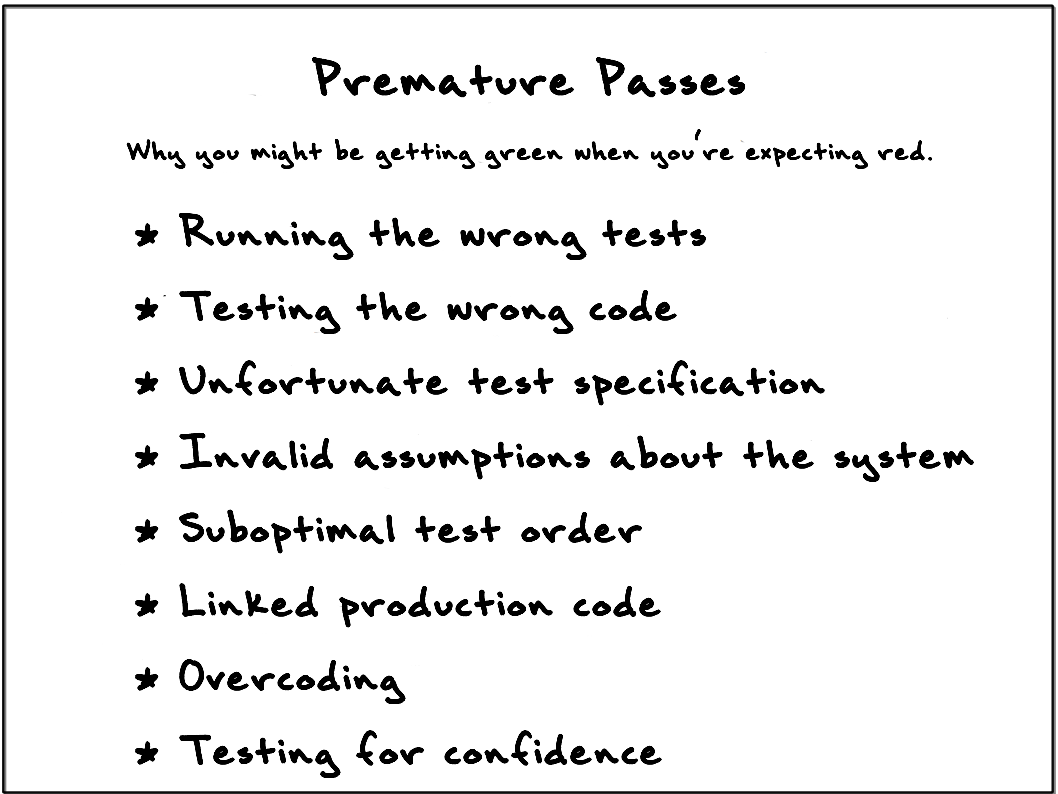
Premature Passes: Why You Might Be Getting Green on Red


Red, green, refactor. The first step in the test-driven development (TDD) cycle is to ensure that your newly-written test fails before you try to write the code to make it pass. But why expend the effort and waste the time to run the tests? If you're following TDD, you write each new test for code that doesn't yet exist, and so it shouldn't pass.

But reality says it will happen--you will undoubtedly get a green bar when you expect a red bar from time to time. (We call this occurrence a premature pass.) Understanding one of the many reasons why you got a premature pass might help save you precious time.
  • Running the wrong tests. This smack-your-forehead event occurs when you think you were including your new test in the run, but were not, for one of myriad reasons. Maybe you forgot to compile it, link in the new test, ran the wrong suite, disabled the new test, filtered it out, or coded it improperly so that the tool didn't recognize it as a legitimate test. Suggestion: Always know your current test count, and ensure that your new test causes it to increment.
  • Testing the wrong code. You might have a premature pass for some of the same reasons as "running the wrong tests," such as failure to compile (in which case the "wrong code" that you're running is the last compiled version). Perhaps the build failed and you thought it passed, or your classpath is picking up a different version. More insidiously, if you're mucking with test doubles, your test might not be exercising the class implementation that you think it is (polymorphism can be a tricky beast). Suggestion: Throw an exception as the first line of code you think you're hitting, and re-run the tests.
  • Unfortunate test specification. Sometimes you mistakenly assert the wrong thing, and it happens to match what the system currently does. I recently coded an assertTrue where I meant assertFalse, and spent a few minutes scratching my head when the test passed. Suggestion: Re-read (or have someone else read) your test to ensure it specifies the proper behavior.
  • Invalid assumptions about the system. If you get a premature pass, you know your test is recognized and it's exercising the right code, and you've re-read the test... perhaps the behavior already exists in the system. Your test assumed that the behavior wasn't in the system, and following the process of TDD proved your assumption wrong. Suggestion: Stop and analyze your system, perhaps adding characterization tests, to fully understand how it behaves.
  • Suboptimal test order. As you are test-driving a solution, you're attempting to take the smallest possible incremental steps to grow behavior. Sometimes you'll choose a less-than-optimal sequence. You subsequently get a premature pass because the prior implementation unavoidably grew out a more robust solution than desired. Suggestions: Consider starting over and seeking a different sequence with smaller increments. Try to apply Uncle Bob's Transformation Priority Premise (TPP).
  • Linked production code. If you are attempting to devise an API to be consumed by multiple clients, you'll often introduce convenience methods such as isEmpty (which inquires about the size to determine its answer). These convenience methods necessarily duplicate code. If you try to assert against isEmpty every time you assert against size, you'll get premature passes. Suggestions: Create tests that document the link from the convenience method to the core functionality, demonstrating them. Or combine the related assertions into a single custom assertion (or helper method).
  • Overcoding. A different form of "invalid assumptions about the system," you overcode when you supply more of an implementation than necessary while test-driving. This is a hard lesson of TDD--to supply no more code or data structure than necessary when getting a test to pass. Suggestion: Hard lessons are best learned with dramatic solutions. Discard your bloated solution and try again. It'll be better, we promise.
  • Testing for confidence. On occasion, you'll know when you think a test will generate a premature pass. There's nothing wrong with writing a couple additional tests: "I wonder if it works for this edge case," particularly if those tests give you confidence, but technically you have stepped outside the realm of TDD and moved into the realm of TAD (test-after development). Suggestions: Don't hesitate to write more tests to give you confidence, but you should generally have a good idea of whether they will pass or fail before you run them.
Two key things to remember:
  • Never skip running the tests to ensure you get a red bar.
  • Pause and think any time you get a premature pass.

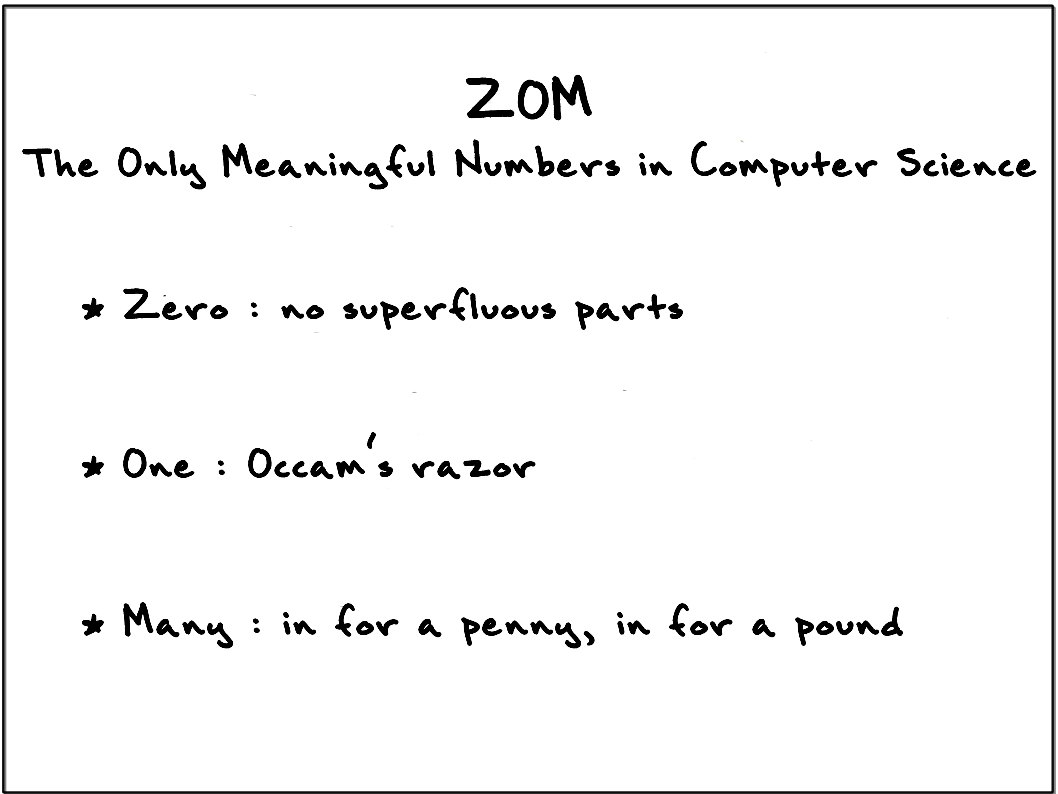
Simplify Design With Zero, One, Many


Programmers have to consider cardinality in data. For instance, a simple mailing list program may need to deal with people having multiple addresses, or multiple people at the same address. Likewise, we may have a number of alternative implementations of an algorithm. Perhaps the system can send an email, or fax a pdf, or send paper mail, or SMS, or MMS, or post a Facebook message. It's all the same business, just different delivery means.

Non-programmers don't always understand the significance of these numbers:

Analyst: "Customers rarely use that feature, so it shouldn't be hard to code."


Program features are rather existential--they either have to be written or they don't.  "Simplicity" is largely a matter of how few decisions the code has to make, and not how often it is executed.


The Rule of Zero: No Superfluous Parts
We have no unneeded or superfluous constructs in our system.
  • Building to immediate, current needs keeps our options open for future work. If we need some bit of code later, we can build it later with better tests and more immediate value. 
  • Likewise, if we no longer need a component or method, we should delete it now. Don't worry, you can retrieve anything you delete from version control or even rewrite it (often faster and better than before).

The Rule of One:  Occam's Razor Applied To Software
If we only need one right now, we code as if one is all there will ever be.

  • We've learned (the hard way!) that code needs to be unique. That part of the rule is obvious, but sometimes we don't apply "so far" to the rule. Thinking that you might need more than one in a week, tomorrow, or even in an hour isn't enough reason to complicate the solution. If we have a single method of payment today, but we might have many in the future, we still want to treat the system as if there were only going to be one.
  • Future-proofing done now (see the "options" card) gets in the way of simply making the code work. The primary goal is to have working code immediately. 
  • When we had originally written code with multiple classes and we later eliminate all but one, we can often simplify the code by removing the scaffolding that made "many" possible. This leaves us with No Superfluous Parts, which makes code simple again.

The Rule of Many: In For a Penny, In For a Pound
Code is simpler when we write it to a general case, not as a large collection of special cases.

  • A list or array may be a better choice than a pile of individual variables--provided the items are treated uniformly. Consider "point0, point1, point2." Exactly three variables, hard-coded into a series of names with number sequences. If they had different meanings, they would likely have been given different names (for instance, X, Y, and Z).  What is the clear advantage of saying 'point0' instead of point[0]? 
  • It's usually easier to code for "many" than a fixed non-zero number. For example, a business rule requiring there are exactly three items is easily managed by checking the length of the array, and not so easily managed by coding three discrete conditionals. Iterating over an initialized collection also eliminates the need to do null checking when it contains no elements.
  • Non-zero numbers greater than one tend to be policy decisions, and likely to change over time.
  • When several possible algorithms exist to calculate a result we might be tempted to use a type flag and a case statement, but if we find a way to treat implementations uniformly we can code for "many" instead of "five." This helps us recognize and implement useful abstractions, perhaps letting us replace case statements with polymorphism
Naturally, these aren't the only simple rules you will ever need. But simple, evolutionary design is well supported by the ZOM rules regardless of programming language, development methodology, or domain.

The "Flash a Friend" Contest: A Covert Agile Give-Away!

If you're reading this blog, you're probably a believer that a good agile process can make a difference. And maybe you've recognized someone on your team, on another team, or even in a different company that you think would benefit from a little covert mentoring.

We'd like to help! We believe getting these cards in the hands of the right people can make a real difference. We're willing to put that belief in action.

Here's how it works:
    Cover Image For Agile in a Flash...
  • Email us at AgileInAFlash@mail.com, recommending one person who you think should receive a free deck. You don't have to name names, you can say "my boss," "our architect," "my dog," "my cousin," etc. You can even name yourself!
  • Tell us in one short, pithy line why you think that this person/team would benefit from Agile in a Flash. 
  • We'll read the comments and pick our favorites.
  • If your entry is selected, we will contact you and get the particulars (names, addresses).
  • The person you recommended gets a deck of Agile in a Flash from us. No note, no card, no explanation.  
  • To thank you for being so helpful, we send a second deck to you!
  • We'll put the winning comments on a soon-to-be-pubished Agile in a Flash blog entry. (You can choose to be attributed or anonymous.)
Deadline for entries: Friday June 15, 1200 MDT

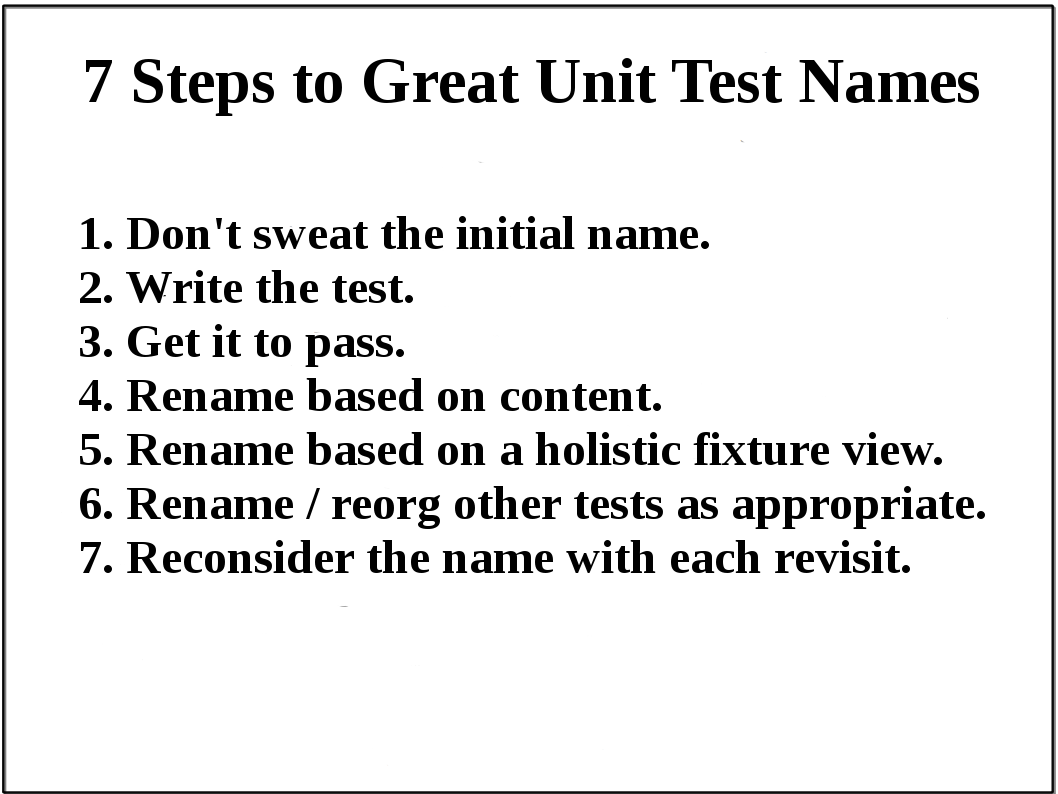
Seven Steps to Great Unit Test Names


You can find many good blog posts on what to name your tests. We present instead an appropriate strategy for when and how to think about test naming.
  1. Don't sweat the initial name. A bit of thought about what you're testing is essential, but don't expend much time on the name yet. Type in a name, quickly. Use AAA or Given-When-Then to help derive one. It might be terrible--we've named tests "DoesSomething" before we knew exactly what they needed to accomplish. We've also written extensively long test names to capture a spewn-out train of thought. No worries--you'll revisit the name soon enough.
  2. Write the test. As you design the test, you'll figure out precisely what the test needs to do. You pretty much have to, otherwise you aren't getting past this step! :-) When the test fails, look at the combination of the fixture name, test method name, and assertion message. These three should (eventually) uniquely and clearly describe the intent of the test. Make any obvious corrections, like removing redundancy or improving the assertion message. Don't agonize about the name yet; it's still early in the process.
  3. Get it to pass. Focus on simply getting the test to pass. This is not the time to worry about the test name. If you have to wait any significant time for your test run, start thinking about a more appropriate name for the test (see step 4).
  4. Rename based on content. Once a test works, you must revisit its name. Re-read the test. Now that you know what it does, you should find it much easier to come up with a concise name. If you had an overly verbose test name, you should be able to eliminate some noise words by using more abstract or simpler terms. You may need to look at other tests or talk to someone to make sure you're using appropriate terms from the domain language.
  5. Rename based on a holistic fixture view. In Eclipse, for example, you can do a ctrl-O to bring up an outline view showing the names for all related tests. However you review all the test names, make sure your new test's name is consistent with the others. The test is a member of a collection, so consider the collection as a system of names.
  6. Rename and reorganize other tests as appropriate. Often you'll question the names of the other tests. Take a few moments to improve them, with particular focus given to the impact of the new test's name. You might also recognize the need to split the current fixture into multiple fixtures.
  7. Reconsider the name with each revisit. Unit tests can act as great living documentation -- but only if intentionally written as such. Try to use the tests as your first and best understanding of how a class behaves. The first thing you should do when challenged with a code change is read the related tests. The second thing you should do is rename any unclear test names.
The test names you choose may seem wonderful and clear to you, but you know what you intended when you wrote them. They might not be nearly as meaningful to someone who wasn't involved with the initial test-writing effort. Make sure you have some form of review to vet the test names. An uninvolved developer should be able to understand the test as a stand-alone artifact - not having to consult with the test's author (you). If pair programming, it's still wise to get a third set of eyes on the test names before integrating.

Unit tests require a significant investment of effort, but renaming a test is cheap and safe. Don’t resist incrementally driving toward the best name possible. Continuous renaming of tests is an easy way of helping ensure that your investment will return appropriate value.

Is Your Unit Test Isolated?


(Kudos to the great software guru Jeff Foxworthy for the card phrasing.)

An effective unit test should follow the FIRST prescriptions in order to verify a small piece of code logic (aka “unit”). But what exactly does it mean for a unit test to be I for Isolated? Simply put, an isolated test has only a single reason to fail.

If you see these symptoms, you may have an isolation problem:

Can't run concurrently with any other. If your test can’t run at the same time as another, then they share a runtime environment. This occurs most often when your test uses global, static, or external data.

A quick fix: Find code that uses shared data and extract it to a function that can replaced with a test double. In some cases, doing so might be a stopgap measure suggesting the need for redesign.

Relies on any other test in any way. Should you reuse the context created by another test? For example, your unit test could assume a first test added an object into the system (a “generous leftover”). Creating test inter-dependencies is a recipe for massive headaches, however. Failing tests will trigger wasteful efforts to track down the problem source. Your time to understand what’s going on in any given test will also increase.

Unit tests should assume a clean slate and re-create their own context, never depending on an order of execution. Common context creation can be factored to setup or a helper method (which can then be more easily test-doubled if necessary). You might use your test framework's randomizer mode (e.g. googletest’s --gtest_shuffle) to pinpoint tests that either deliberately or accidentally depend on leftovers.

You might counter that having to re-execute the common setup twice is wasteful, and will slow your test run. Our independent unit tests are ultra-fast, however, and so this is never a real problem. See the next bullet.

Relies on any external service. Your test may rely upon a database, a web service, a shared file system, a hardware component, or a human being who is expected to operate a simulator or UI element. Of these, the reliance on a human is the most troublesome.

SSDD (same solution different day): Extract methods that interact with the external system, perhaps into a new class, and mock it.

Requires a special environment. “It worked on my machine!” A Local Hero arises when you write tests for a specific environment, and is a sub-case of Relies on any external service. Usually you uncover a Local Hero the first time you commit your code and it fails during the CI build or on your neighbor’s dev box.

The problem is often a file or system setting, but you can also create problems with local configuration or database schema changes. Once the problem arises, it’s usually not too hard to diagnose on the machine where the test fails.

There are two basic mitigation strategies:
  1. Check in more often, which might help surface the problem sooner
  2. Periodically wipe out and reinstall (“pave”) your development environment

Can’t tell you why it fails. A fragile test has several ways it might fail, in which case it is hard to make it produce a meaningful error message. Good tests are highly communicative and terse. By looking at the name of the test class, the name of the method, and the test output, you should know what the problem is:
CSVFileHandling.ShouldToleratedEmbeddedQuotes -
   Expected "Isn't that grand" but result was "Isn"

You shouldn't normally need to dig through setup code, or worse, production code, to determine why your test failed.

The more of the SUT exercised by your test, the more reasons that code can fail and the harder it is to craft a meaningful message. Try focusing your test on a smaller part of the system. Ask yourself “what am I really trying to test here?”


Your test might be failing because it made a bad assumption. A precondition assertion might be prudent if you are at all uncertain of your test’s current context.


Mocks indirect collaborators. If you are testing public behavior exposed by object A, and object A interacts with collaborator B, you should only be defining test doubles for B. If the tests for A involve stubbing of B’s collaborators, however, you’re entering into mock hell.

Mocks violate encapsulation in a sense, potentially creating tight coupling with implementation details. Implementation detail changes for B shouldn’t break your tests, but they will if your test involves test doubles for B’s collaborators.

Your unit test should require few test doubles and very little preliminary setup. If setup becomes elaborate or fragile, it’s a sign you should split your code into smaller testable units. For a small testable unit, zero or one test doubles should suffice.


In summary, unit tests--which we get most effectively by practicing TDD--are easier to write and maintain the more they are isolated.

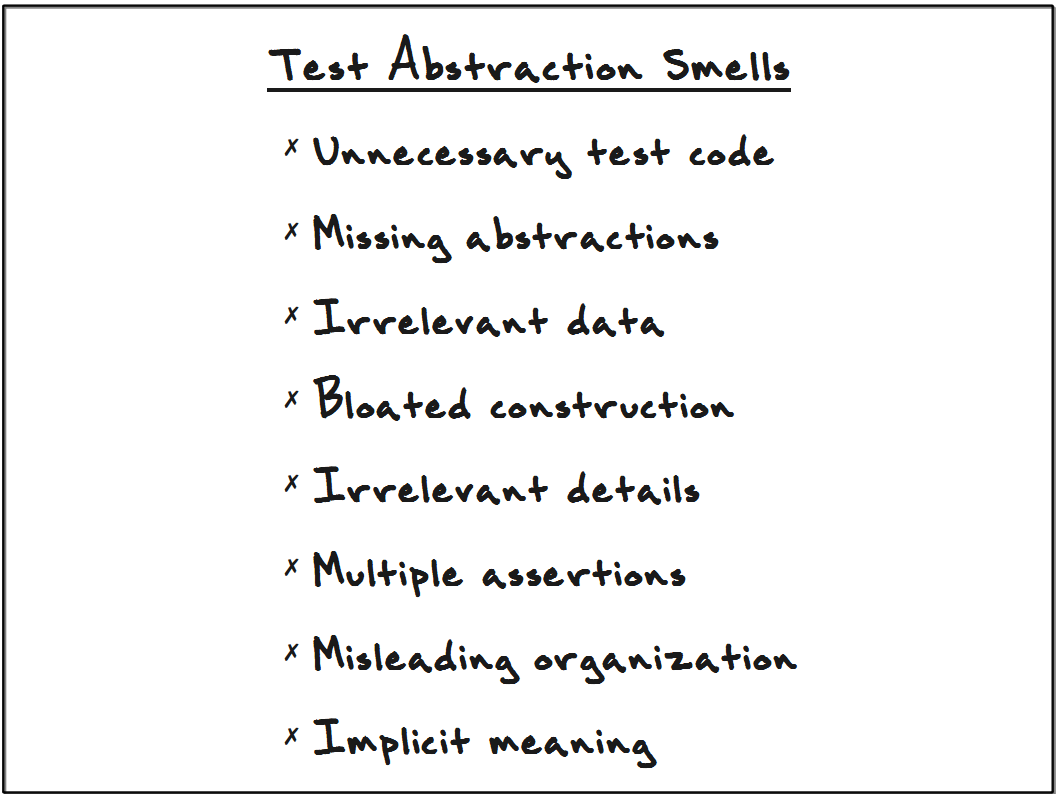
Test Abstraction Smells


In our article Test Abstraction: Eight Techniques to Improve Your Tests (published by PragPub), we whittled down a convoluted, messy test into a few concise and expressive test methods, using this set of smells as a guide. We improved the abstraction of this messy test by emphasizing its key parts and de-emphasizing its irrelevant details.

Stripped down, the "goodness" of a test is largely a matter of how quickly these questions can be answered:
  • What's the point of this test?
  • Why is the assertion expecting this particular answer?
  • Why did this test just fail?
That's a nice short-form summary, but it is descriptive rather than prescriptive. In the Pragmatic Bookshelf article, a real-world code example was used to painstakingly demonstrate the techniques used to improve the clarity of tests by increasing their level of abstraction. Here we provide the "cheat sheet" version:
  • Unnecessary test code. Eliminate test constructs that clutter the flow of your tests without imparting relevant meaning. Most of the time, "not null" assertions are extraneous. Similarly, eliminate try/catch blocks from your tests (in all but negative-case tests themselves).
  • Missing abstractions. Are you exposing several lines of implementation detail to express test set-up (or verification) that represents a single concept? Think in terms of reading a test: "Ok, it's adding a new student to the system. Fine. Then it's creating an empty list, and then adding A to that list, then B, and ..., and then that list is then used to compare against the expected grades for the student." The list construction is ugly exposed detail. Reconstruct the code so that your reader, in one glance, can digest a single line that says "ensure the student's expected grades are A, A, B, B, and C."
  • Irrelevant data. "Say, why does that test pass the value '2' to the SUT? It looks like they pass in a session object, too... does it require that or not?" Every piece of data shown in the test that bears no weight on its outcome is clutter that your reader must wade through and inspect. "Is that value of '2' the reason we get output of '42'?" Well, no, it's not. Take it out, hide it, make it more abstract! (For example, we'll at times use constant names like ARBITRARY_CHARGE_AMOUNT.)
  • Bloated construction. It may take a bit of setup to get your SUT in the state needed for the test to run, but if it's not relevant to core test understanding, move the clutter out. Excessive setup is a design smell, showing that the code being tested needs rework. Don't cope with the problem by leaving extensive setup in your test, but tackle the problem by reworking the code as soon as you have reasonable test coverage. Of course, the problem of untestable code is largely eliminated through the use of TDD.
  • Irrelevant details. Is every step of the test really needed? For example, suppose your operational system requires the presence of a global session object, pre-populated with a few things. You may find that you can't even execute your unit test without having it similarly populate the session object. For most tests, however, the details of populating the session object have nothing to do with the goal of the test. There are usually better ways to design the code unit, and if you can't change your design to use one of those ways, you should at least bury the irrelevant details.
  • Multiple assertions. A well-abstracted unit test represents one case: "If I do this stuff, I observe that behavior." Combining several cases muddies the abstraction--which setup/execution concepts are relevant to which resulting behaviors? Which assertion represents the goal of the test case? Most tests with multiple assertions are ripe for splitting into multiple tests. Where it makes sense to keep multiple assertions in a single test, can you at least abstract its multiple assertions into a single helper method?
  • Misleading organization. You can easily organize tests using AAA (Arrange-Act-Assert). Remember that once green, we re-read any given test (as a document of SUT behavior) only infrequently--either when the test unexpectedly fails or when changes need to be made. Being able to clearly separate the initial state (Arrange) from the activity being tested (Act) from the expected result (Assert) will speed the future reader (perhaps yourself in 5 months) on his way. When setup, actions, and assertions are mixed, the test will require more careful study. Spare your team members the chore of repeatedly deciphering your tests down the road--spend the time now to make them clear and obvious.
  • Implicit meaning. It's not all just getting rid of stuff; abstraction requires amplifying essential test elements. Imagine a test that says "apply a fine of 30 cents on a book checked out December 7 and returned December 31." Why those dates? Why that amount? If we challenged you to tell us the rules that govern the outcome of this test, you'd likely get them wrong. A meaningful test would need to describe, in one manner or another, these relevant concepts and elements:
    • books are normally checked out for 21 days
    • Christmas--a date in the 21-day span following December 7--is a grace day (i.e. no fines are assessed)
    • The due date is thus December 29
    • December 31 is two days past the due date
    • Books are fined 20 cents for the first day late and 10 cents for each additional day.
    • 30c = 20c + 10c
    (Consider that each of these concepts could represent a separate unit test case, and that this detailed scenario represents more of an end-to-end test case.)
    A unit test that requires you to dig through code to discern the reasons for its outcome is wasteful.
You could easily survive without our list of test abstraction smells--and figure out on your own what to do about your tests--as long as you keep one thought in your head: "My goal is to ensure that each unit test clearly expresses its intent, and nothing else, to the next person who must understand this system behavior."

The 4 Ts of Engaging Management

Teams self-organize and self-direct, so much of the Taylorist views of what a manager can do seem to not apply at all. What is the working arrangement between an agile team and their manager?

  • Time (schedule) - As a steward of the schedule, a manager needs to know where the teams' effort stands--are they behind or ahead the expected schedule? Does the release need to be delayed or de-scoped? The manager is best positioned to communicate issues and evaluate the larger impact to the organization.  When the schedule needs change, we find that your chance of success is greater the earlier the matter is communicated to management. While human nature may lead one to avoid delivering bad news, it is usually better to share problems with people who are in a position to help.
  • Talent (talent pool) - A manager may bring in additional talent in the form of trainers, consultants, staff augmentation contractors, or new employees. Sometimes having an eLearning course, a visiting expert, or a short-term consultant can make a huge long-term difference in the team's technical proficiency.
    A manager may change hiring criteria to bring in the kinds of developers that will help the team to work in a more fluent and productive way.
    Likewise, a manager can remove or reassign a team member who just isn't working for the current team. These kinds of issues require coordination with HR and possibly even legal representation, but are a good use of your manager's time. See also Robert Sutton's research on maintaining a productive workplace.
  • Target (direction, goals) - Agility (strictly defined) is the ability to change direction gracefully. Sometimes a change of technology or target audience can greatly improve a product's chance of being accepted in the market. Additionally, agile teams would rather face failures early when they're inexpensive (fail fast) than have hopeless projects run on until resources are exhausted. Any a significant change in direction, whether cost-saving or value-creating, will need to involve management.
  • Treasury (funding) - There are times that spending a few hundred or a few thousand dollars can make the difference between the team working fluidly versus struggling and slogging along. Is your biggest need for a distributed build product? A better build server? An alternative testing tool? A local version control server? More reliable intranet? A better library or framework? A minor hardware upgrade? An online training course?
When a problem can only be solved using one or more of the 4Ts, then it is clearly a management problem. Make use of your manager's sphere of influence to improve the team's chance of success.

Agile supports the empowered, competent team. The team should own their problems and push forward with solutions and data-based decision-making.  On the other hand, a team can hardly be called "resourceful" when their management assets go unused. Remember that the manager is a member of the team, and often managers pride themselves on problem-solving.

For problems in the gray area where some solutions are purely technical, it may be wise to involve management in triage. You would be surprised how many times teams have struggled with a work-around only to find that a manager would have been happy to solve the problem outright through his contacts and resources.

In your next retrospective, consider adding solution category called "take it to management." See if it helps your velocity over time.

Management Theater

Great managers can improve teams in meaningful ways: smoothing the workflow, selecting targets worth hitting, wisely managing budget and schedule, and working to align teams with organizational goals. We have fond memories of great managers, technical or otherwise, who led and mentored us, who helped us reach new plateaus of understanding and productivity.

We're not talking about those great managers today.

Instead, we'll discuss a particular form of management dysfunction often seen in development shops. Daniel Pink (in Drive) points out that programming shops are full of people who are motivated by the work and excited to make progress. Intrinsic motivation tends to be quite high, though exceptions exist (see Esther Derby's Stop Demotivating Me). Most shops face problems with procedure, organization, technological limits, overly ambitious schedules, and shortage of knowledge or practice. Less astute managers don't understand the problems in their teams, and misinterpret these as motivational issues. When the problem is technical, it does not help to attempt solving it through motivation.


You've probably been a witness to most of these. Just in case they're not obvious:
  • Begging: "Please, I just really need you to work harder to get this done. Just this one time."
  • Browbeating: "Stop your whining and get it done before I replace you with someone who gives a darn about their job!"
  • Cheerleading: "I have faith in you, you're the best! Go Team!"
  • Punative Reporting: "I want to see daily status reports! Twice daily!"
  • Publicity Stunts: "I want every last one of us in this meeting. We need a show of force!"
Such motivational tactics tend to be ineffective. To people struggling with difficult organizational and/or technical problems, emotional appeals seem to be a kind of buffoonery. Of course, if the team succeeds despite the management theater, it merely strengthens the causal connection in the manager's mind. By simply not failing, the team locks their manager into a pattern that ensures that all future crises will be met with emotional and ineffective responses.

We should not be asking how to make managers behave. We should be asking what a team can do to ensure that a manager can provide effective servant leadership. Management theater is not a manager's first choice of action, but rather a tactic of last resource. When a manager does not have sufficient information or timely opportunity to be effective, she must use whatever ethical means remain. Management theater is, therefore, primarily a process smell not of management but of the development team.

Worldwide shortage

I'm told that there are shortages of AgileInAFlash, some channels having projected waits of as much as two months for replenishment.

You can still get AgileInAFlash physical decks at the Pragmatic Programmers site, and you can also pick up electronic copies there to tide you over. The electronic version is not as handy in mentoring settings, but is fine for reading or projecting.


Second Printing

Thanks to the demand of our readers, Agile In A Flash is going to its second printing only 8 months after its initial release. Thanks to all of you!

Mobile Version

Thanks to our hosts at blogger.com, we now have a mobile version, so accessing Agile In A Flash from your mobile device is finally easy and even pleasant.

Doctor Dan's Prescription


Dr Dan's Prescription: An Agile Flashcard a Day keeps the Fail away...

This photo of card #33 was received via twitter from Daniel Thomas (@geekdan) in Brisbane, Australia, complete with the quote above.

I like how they have a low-tech "frame" for the cards, and a place of honor on the team whiteboard. I hope they get some help, humor, or inspiration from the deck.

Dan tweets a lot of interesting links. Give him a follow.

A Card-Enriched Workspace


Friend of the blog Brian Kelly offers us a glimpse of his workspace. I notice that the books on organizational change are above the card on overcoming organizational obstinance, and that the rest are values and practices cards.

The new website-only card, Five Rules for Distributed Teams, is shown on the monitor.  It was released coincidentally with Lisa Crispin and Nanda Lankalapalli's StickyMinds article on Tele-teams. I guess the distributed team meme is in the air.

Brian is the fellow who has been posting the excellent near-daily meditations on the 52 cards of the official Agile In A Flash deck released by Pragmatic Programmers in late January of this year.

We are very proud, indeed.

Rules for Distributed Teams


As the Greatest Agile-In-A-Flash Card Wielding Coaches So Far(tm), we're often asked for advice (or drawn into arguments) about how to make agile work with distributed teams. Sometimes it's for more humble reasons, though: We've both been remote members of a team, pair-programming with peers daily. We prescribe the following rules for distributed development:
  1. Don't. Traditional organizations should avoid the extra strain, trouble, and expense of remote members without a significant reason. For example, building a better team using remote rockstars might provide some justification, but you might also be better off with a capable, local team that works well together. It's often out of your control, though, and in the hands of a really big boss, bean counter, or entrenched culture. You can make it work: Virtual organizations, startups, and the like find great success using virtual tools, pairing, and non-traditional communication pathways. Make sure you really mean it, because it's not a trouble-free add-on to the way your large organization does things now.
  2. Don't treat remotes as if they were local. Treat your "satellite" developers as competent people with physical limitations. A remote is visually impaired, since he can only see through a web cam, and only when it is on. He cannot see the kanban board, the other side of the camera, and so on. Likewise, he only hears what is said into the microphone and not at all if simultaneous conversations occur. A remote cannot cross the room and talk to people, so interoffice chat (Skype, Jabber, etc) is essential. The local team has to make concessions, repeat conversations, and be the eyes and ears of the remote employees. Do not treat unequal things as equal--accept that there are compromises.
  3. Don't treat locals as if they were remote. You certainly can install electronic kanban boards, online agile project management tools, instant messaging, cameras, email, and shared document management so that every local can sit alone in a cubicle or office and behave just like a remote employee. Rather than being empowered, you are all equally limited (see point #2). Never limit so that all are equal. Allow all to rise to greatness. The power of people working closely together in teams is significant (see first bullet above).
  4. Latitude hurts, but longitude kills. Just being remote hurts (see first two bullets), but the complications can be overcome when employees share the same time zone and working hours. The further you move the team across time zones, the fewer common hours they have, and the longer any kind of communication takes to make a round-trip. Agile is predicated on short feedback loops, so 24-hour turn-around is out of the question. If you can't be a single team that works together, create separate agile teams.
  5. Don't always be remote. Begin your engagement with a nice long on-site visit. A week is barely enough. Two weeks starts to make it work. Visiting for one week a quarter or even a week a month can keep a feeling of partnership alive. Dealing with difficulties is easy among people who know and respect each other. While constant telepresence (Skype, Twitter, IM, etc.) can minimize the problem of "out-of-sight, out of mind," studies show that distributed team success requires teams with strong interpersonal relationships, built best on face-to-face interaction. The bean counters may not be able to comprehend it, but the investment is well worth the return.
Tim: Would I remote again? In fact, I do most of my Industrial Logic work remote. We are in constant touch with each other and pair frequently. I converse with Joshua Kerievsky more in the course of a week than I have any other "boss" (he'll hate that I used that word!) in my employment history. We even work across time zones. We would work more fluently and frequently side-by-side, but we'd probably not get to work together if we all had to relocate. It is a compromise that has surprisingly good return on investment for us. We also have the advantage that we are all mature agilists; it would be very hard for first-timers. It's hard for me, as I have a tendency to "go dark" sometimes.


Jeff: I enjoyed a year of remote development with a now-defunct company one time zone to the east. Pairing saved it for me. The ability to program daily in (virtually) close quarters with another sharp someone on the team helped me keep an essential connection with them. On the flip side, however, I never felt like I was a true part of that team. I missed out on key conversations away from the camera, and I felt that debating things over the phone was intensely ineffective. You do what you must, but I'd prefer to not be remote again.

Card-Carrying Agile Team


Top row: Chris Freeman, George Sparks, Sudheer Pinna, Scott Splavec, Sreehari Mogallapalli, Matt Poush.
Bottom row: Toran Billups, Ryan Bergman, Andrea de Freitas, and Benoy John
Photographer: Vadim Suvorov

Say hello to the team from Sum Total. Back before acquisition, the company was known as GeoLearning, and Tim was one of the coaches to help with their transition to Agile methods. Later, while working on Agile In A Flash, Jeff and Tim were both employed as remote pair-programming team members. The team has done some remarkable things in just the past three years.

Vadim (an excellent developer, brilliant guy, friend) reminds me that he is present in this photo as a reflection in the eyes of all the developers who are standing in front of the camera. If this were a TV detective show, you could zoom in and see him clearly.